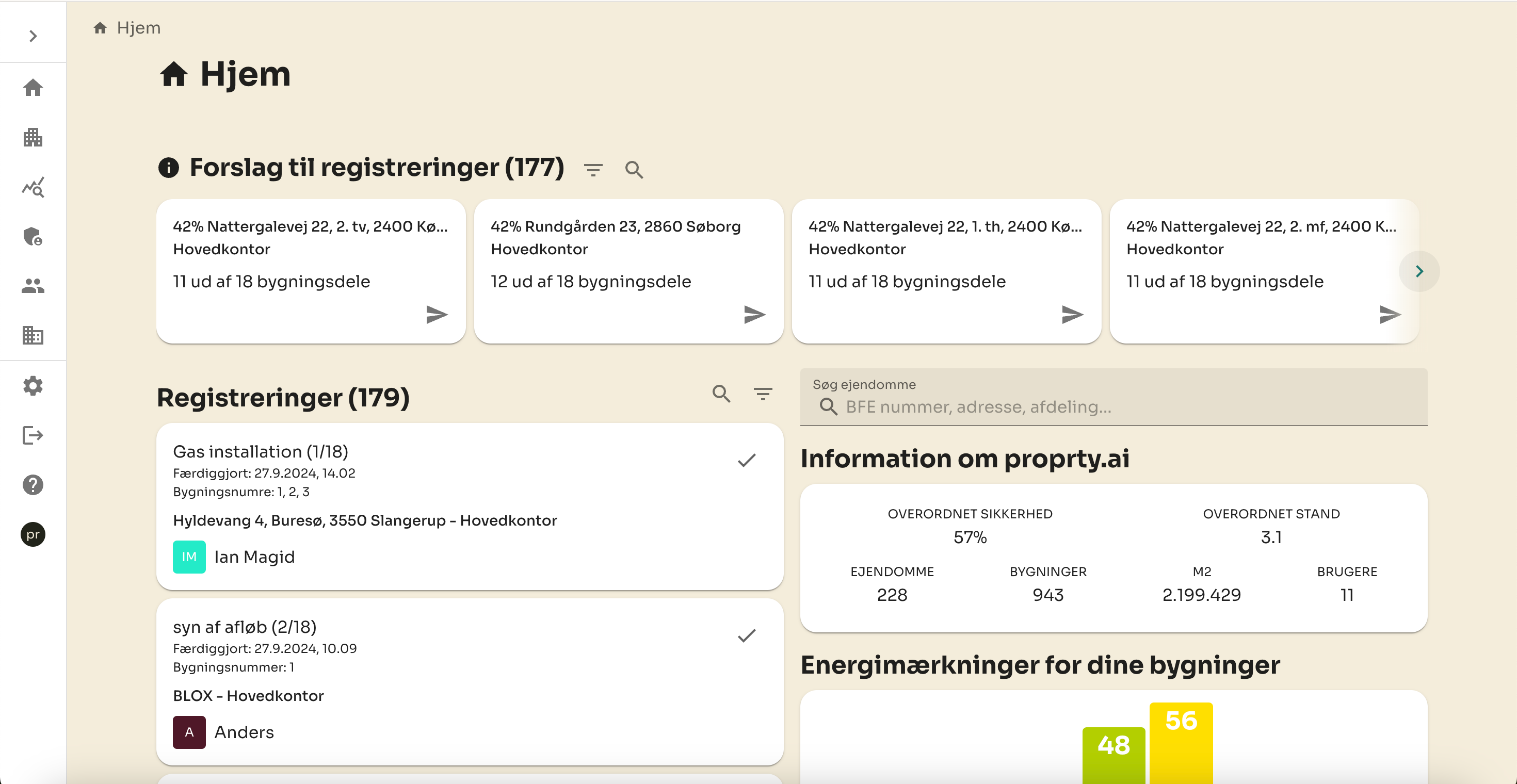
Based on your valuable feedback, we have worked to improve both functionality and user experience. The keen eye will quickly notice that new search and filtering capabilities have now been added, allowing searches across properties, departments and “parent” organisations such as corporations and administrations to be searched. In addition, you can also search by names—both the person who created a registration and the person associated with it. Even the title of the registration can now be found with a quick search.
Filtering options have also been strengthened, and you can now filter registrations by status and parent organization. In addition, when it comes to suggestions for new registrations, you can adjust a filter based on the safety score. This means you can easily focus on those properties that have a safety score within the range you define yourself.
We have also added an energy label overview, which shows the distribution of energy labels on your properties. This list is updated weekly, but we continue to work to address certain challenges — especially when it comes to properties that have multiple energy labels or when one energy label covers multiple properties. We do our best to find an optimal solution here.
For those who thought that the front page lacked a little colors, we have also added color coding of the users on the registration card. The colors are randomly generated based on the user's name, providing a fresher and more visual overview.
Last, but certainly not least, we have improved performance significantly. Where before it took about 6 seconds to load the registration list in our demo organization, now it only takes 0.17 seconds! It has made the whole experience much faster and more efficient.


Subscribe to our newsletter
Get insights into new features, customer cases, and news from proprty.ai, delivered straight to your inbox.